Knitting settings
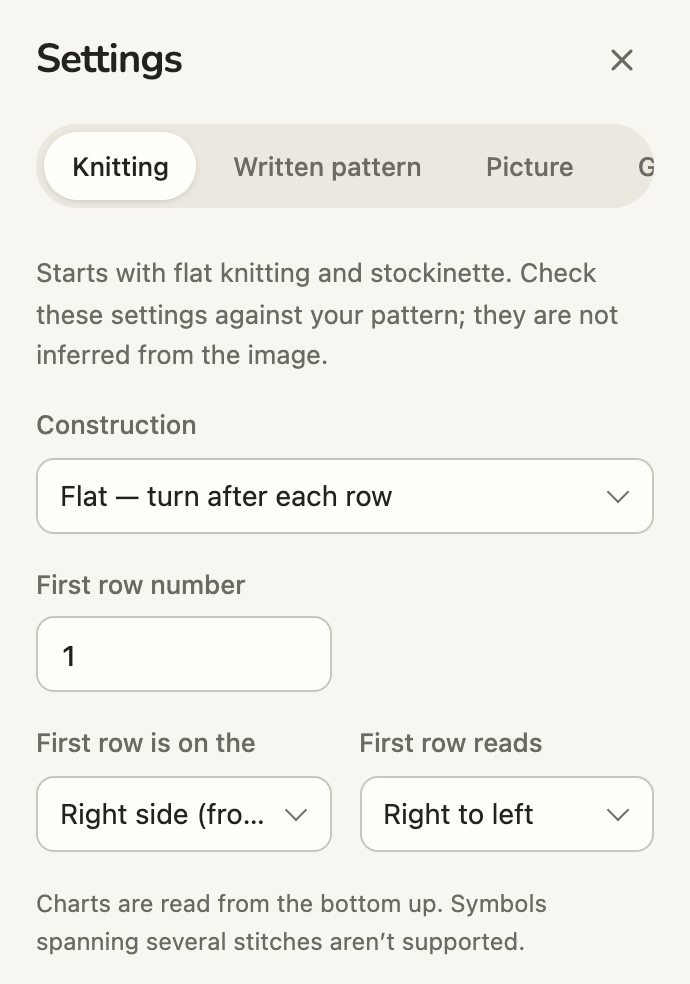
The Knitting tab in Settings says how the chart is worked: flat or in the round, and where the first row starts. A chart does not show this, so check these settings against your pattern. They change the written pattern, and they are saved with your project.
Opening Settings
Settings is available while a chart is open. Select Settings in the header, or Settings in the sidebar next to the chart. On a phone, Settings is in the bar along the bottom of the screen. Select it in the sidebar again to close it.
Settings opens on the tab you used last. It has four tabs:
- Knitting: how the chart is worked, described on this page.
- Written pattern: how the rows are written; see written pattern settings.
- Picture: how your picture is read; see picture settings.
- General: the language and the appearance of Knitter Friend; see general settings.
Construction
Construction has two choices: Flat — turn after each row, or In the round — same side throughout. A new chart starts as flat knitting.
In flat knitting, the rows change between the right side and the wrong side, and each row reads the opposite way from the row before. In the round, every round is worked on the right side and reads in the same direction, so the symbols of a symbol chart need only their right-side meaning. See flat or in the round.
First row number
First row number is the number of the bottom row of the chart in the written pattern. It starts at 1. Change it when your chart begins partway through a pattern, so that the row numbers match your pattern. See the first row.
Side and direction of the first row
Charts are read from the bottom up: the bottom row of the chart is the first row of the pattern. Two settings describe that first row:
- First row is on the: Right side (front) or Wrong side (back). A new chart starts on the right side. In the round, it must be the right side; otherwise a message asks you to change it.
- First row reads: Right to left or Left to right. A new chart starts from right to left. In flat knitting, the next row reads the other way.
Stitches and gauge
The stitch pattern of a color chart, such as stockinette or garter stitch, and your gauge are not in Settings. They are in Chart in the sidebar, under Stitches. See the stitch pattern and gauge.