How to convert a knitting chart to written instructions
A chart shows every stitch as a square. Written instructions spell out each row in abbreviations or plain words, which many knitters find easier to follow. Knitter Friend reads the chart from an image or a PDF page and writes out every row for you. For a color chart, Fabric preview also shows its knitted appearance.
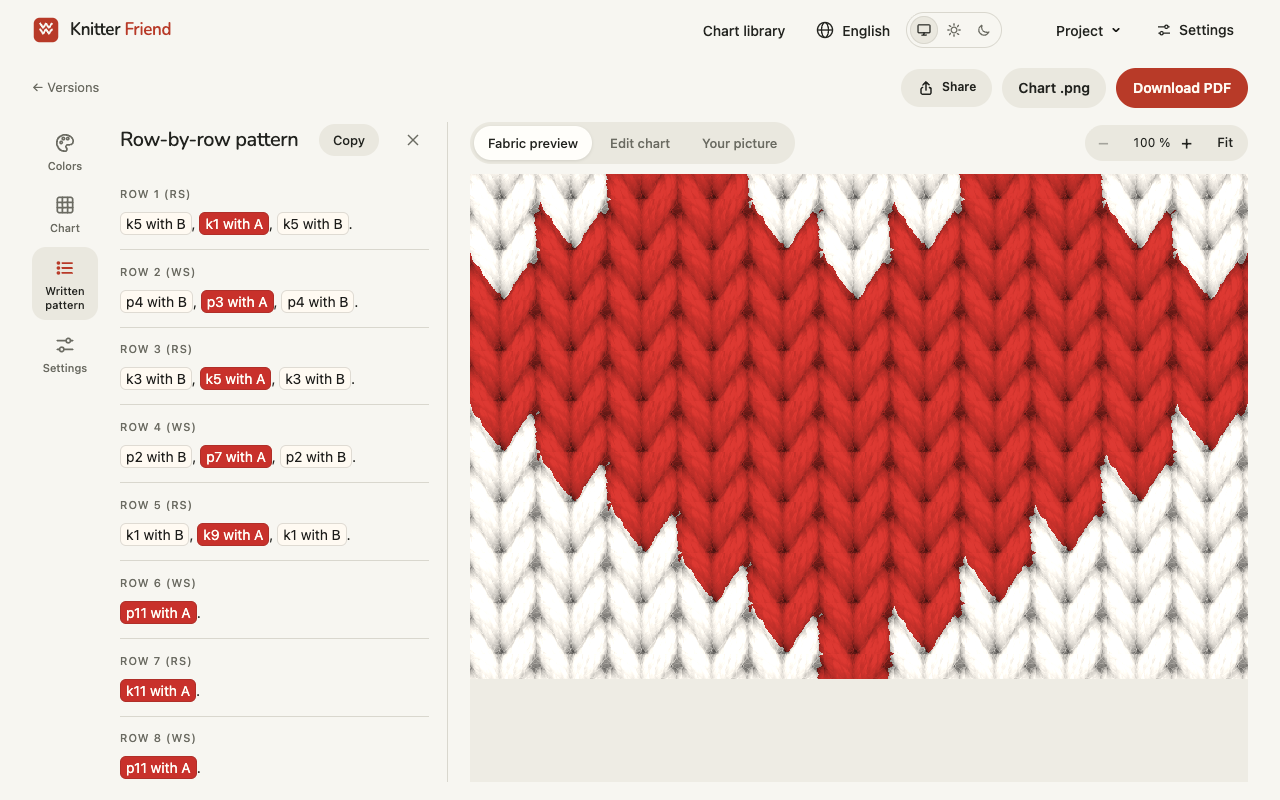
- Row 1 (RS) k5 A, k1 B, k5 A.
- Row 2 (WS) p4 A, p3 B, p4 A.
- Row 3 (RS) k3 A, k5 B, k3 A.
- Row 4 (WS) p2 A, p7 B, p2 A.
- Row 5 (RS) k1 A, k9 B, k1 A.
- Row 6 (WS) p11 B.
- Row 7 (RS) k11 B.
- Row 8 (WS) p11 B.
- Row 9 (RS) k1 A, k4 B, k1 A, k4 B, k1 A.
- Row 10 (WS) p2 A, p2 B, p3 A, p2 B, p2 A.
Open the chart
- Select Choose a picture and open the chart: a PNG, JPEG or WebP image, or a PDF pattern.
- For a color chart, pick the version marked Detected. It keeps every color the chart uses.
- A PDF opens at its first page. If the chart is on another page, enter its number in Settings › Picture › PDF page and choose Open page.
- The grid lines are found and the stitches and rows counted for you. If the wrong area was read, see how to check the grid.
Check the stitches
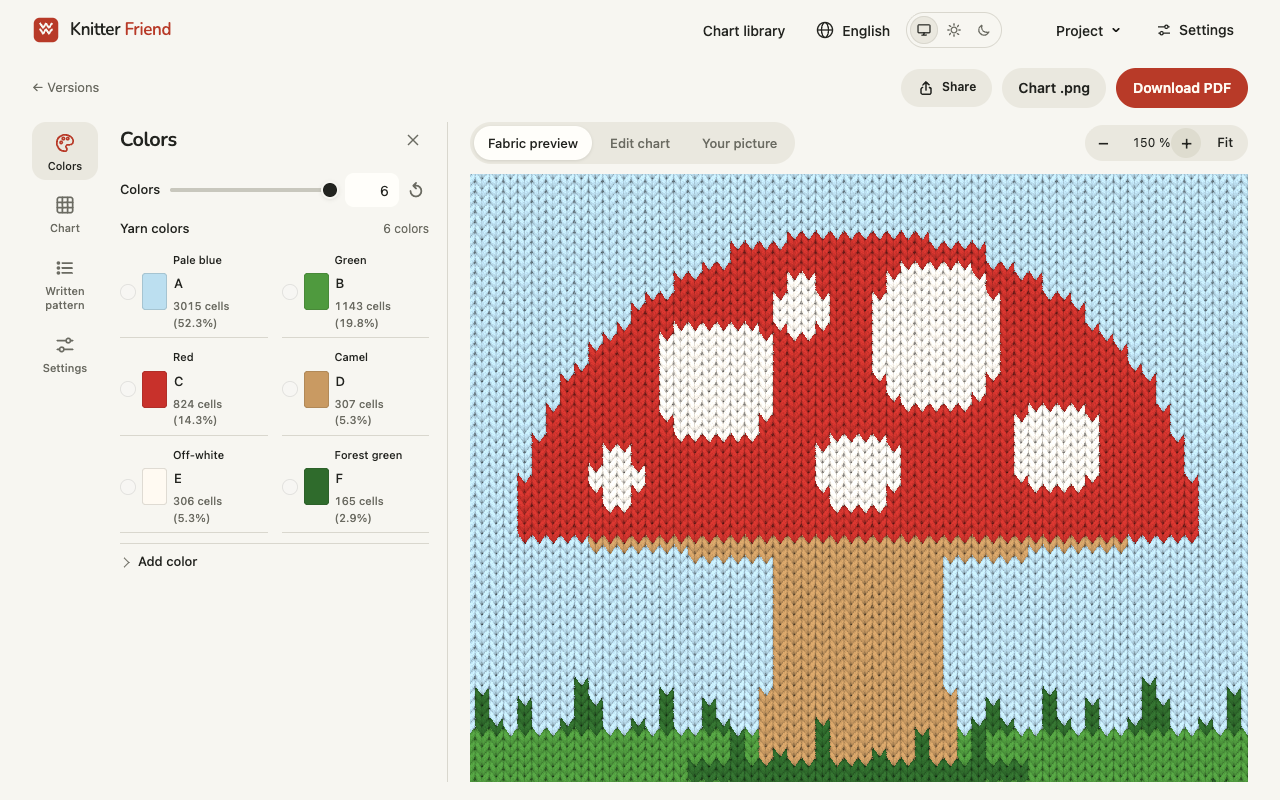
In a color chart, every color becomes a yarn. Name the yarns under Yarn colors: the rows refer to each yarn by its code, and the key gives your names. If numbers or symbols are printed on the colored squares, set Settings › Picture › Read the picture as to Chart colors (ignore printed marks).
In a symbol chart, matching symbols are grouped. A symbol’s shape does not say what it means, so enter each group’s meaning from your pattern’s legend: what to work on the front and what to work on the back. Symbols spanning several stitches, such as cables, are not supported yet.
To correct a single stitch, select it in the chart and give it the right color or symbol.
Set how the chart is knitted
A chart does not say how it is worked, so check these settings in Settings › Knitting against your pattern:
- Construction: Flat knitting, turning after each row, or In the round.
- Which side the first row is on and which way it reads. Most charts start at the bottom right: right-side rows read from right to left and wrong-side rows from left to right. In the round, every round reads the same way as the first.
- The first row number.
Check the knitted size
Each square of the chart is one stitch, but a knitted stitch is wider than it is tall. For a color chart, open Chart in the sidebar and choose the Stitches: Stockinette, Garter stitch, Reverse stockinette or your own instructions. Then enter your gauge below it: the stitches and rows per 10 cm, measured on a swatch. The starting gauges are only estimates.
The chart is drawn as it will knit up, and Chart shows the finished size.
A chart drawn on square cells knits up shorter than it looks, by an amount that depends on the stitch pattern and your yarn. To keep its shape, select Process as image: the chart is rebuilt from your gauge. The rows then no longer match the original pattern.
Preview the knitted result
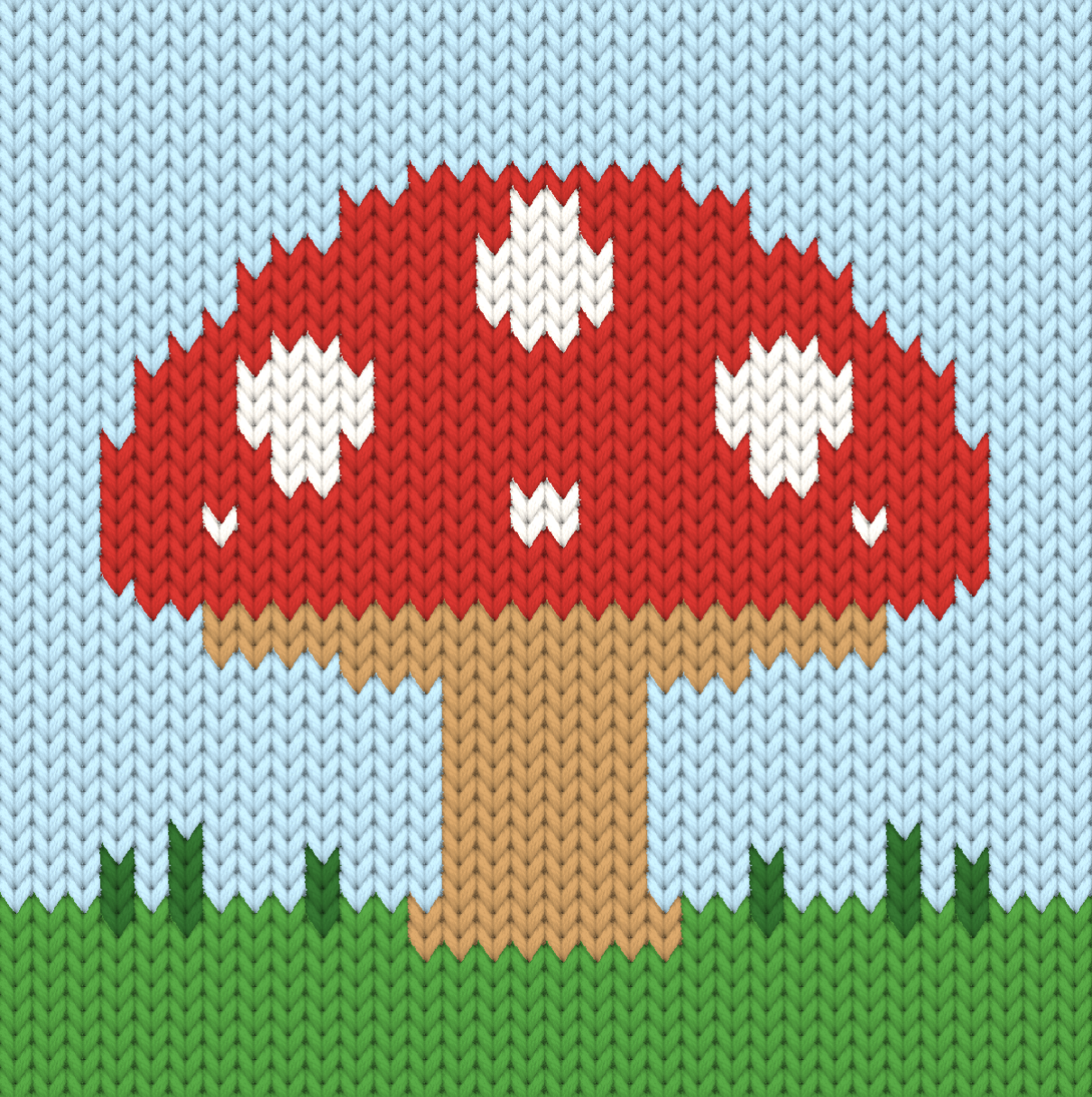
Select Fabric preview above the chart to see your motif as knitted stitches, with your yarn colors and the proportions of your gauge. It is available for color charts in Stockinette, Garter stitch and Reverse stockinette.
Check the motif’s outline, small details and color contrast before exporting. Zoom in to inspect the stitches, then view the whole piece again. See the Fabric preview guide for the controls and how the preview follows your edits.
Choose how the rows are written
In Settings › Written pattern, set the Notation to Standard abbreviations or Plain words, and choose how repeats and yarn colors are written. The Pattern language is English unless you choose another.
Copy or print the pattern
Open Written pattern to see every row. Copy the text, or choose Download PDF for the chart, the key and all the rows on paper. The PDF page size is in Settings › Written pattern.
Check before you cast on
The rows say exactly what the chart shows. Compare the stitch counts of the first few rows and the reading direction with your original pattern before you start knitting.