Stitch pattern and gauge
A knitted stitch is not square: in most fabrics it is wider than it is tall. Knitter Friend uses the stitch pattern and your gauge to draw the chart as it will knit up, to give the finished size, and, for a chart made from a picture, to keep the shape of the picture in the knitted piece.
Choose the stitch pattern
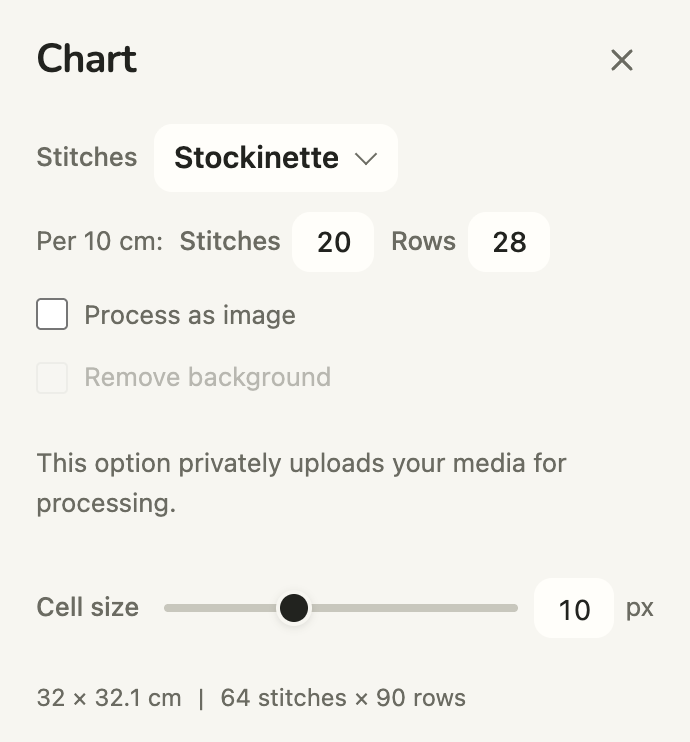
Open Chart in the sidebar and choose the Stitches you will knit. The menu shows the first three with a picture of the fabric:
- Stockinette: knit on the front, purl on the back.
- Garter stitch: knit every row in flat knitting; in the round, knit and purl rounds alternate.
- Reverse stockinette: purl on the front, knit on the back.
- Other — enter the instructions: enter your own Front-side stitch and Back-side stitch. This choice has no gauge, so the finished size and the Fabric preview are not available.
Enter your gauge
Below the stitch pattern, enter the Stitches and Rows per 10 cm (4 in), measured on a swatch knitted in your yarn and stitch pattern. The starting gauges are estimates, so the size is only right once you enter your own. See knitting a gauge swatch.
Each stitch pattern keeps its own gauge. When you switch to another stitch pattern, its gauge appears in the fields.
How the chart keeps the picture’s shape
For a chart made from a picture, the picture is cut into cells that have the shape of a knitted stitch, and each cell becomes one stitch. A stitch is usually wider than it is tall, so the chart has more rows than square cells would give, and the piece keeps the proportions of the picture.
For example, at 20 stitches and 30 rows per 10 cm (4 in), a stitch is 5 mm wide and about 3.3 mm tall. A square picture charted 60 stitches wide gets 90 rows, and the piece is 30 × 30 cm (about 12 × 12 in). See why knitted colorwork looks squashed.
When the gauge changes
If a new gauge gives a different number of stitches or rows, a chart made from your picture or read from pixel art is rebuilt. If you have corrected stitches, added colors, or renamed or changed yarns, you are asked first, because the rebuild discards these edits. Cancel to keep the chart and the previous gauge.
If the new gauge gives the same number of stitches and rows, the chart stays as it is, and only its drawing and the finished size change.
For a chart made from a picture or read from pixel art, choosing another stitch pattern that has a gauge rebuilds the chart with that gauge. Your chart for the previous stitch pattern is kept with its edits: switch back to get it again. Changing the cell size or the crop clears these kept charts.
Charts read from a grid
An existing chart read square by square from its grid lines keeps every stitch: changing the gauge does not change its stitches or rows. The chart is drawn in the proportions it will knit up in, and the finished size follows your gauge. To keep the shape of the drawing instead, see processing a chart as an image.
Gauge in the pattern
The line below Cell size shows the finished size in centimeters. The PDF you get with Download PDF lists your gauge and the finished size.