Written pattern settings
The Written pattern tab in Settings sets how the row-by-row instructions are written, on screen and in the PDF. It does not change the chart. Each menu shows its choices as examples in the pattern language, so you can see the result before you choose. These settings are saved with your project.
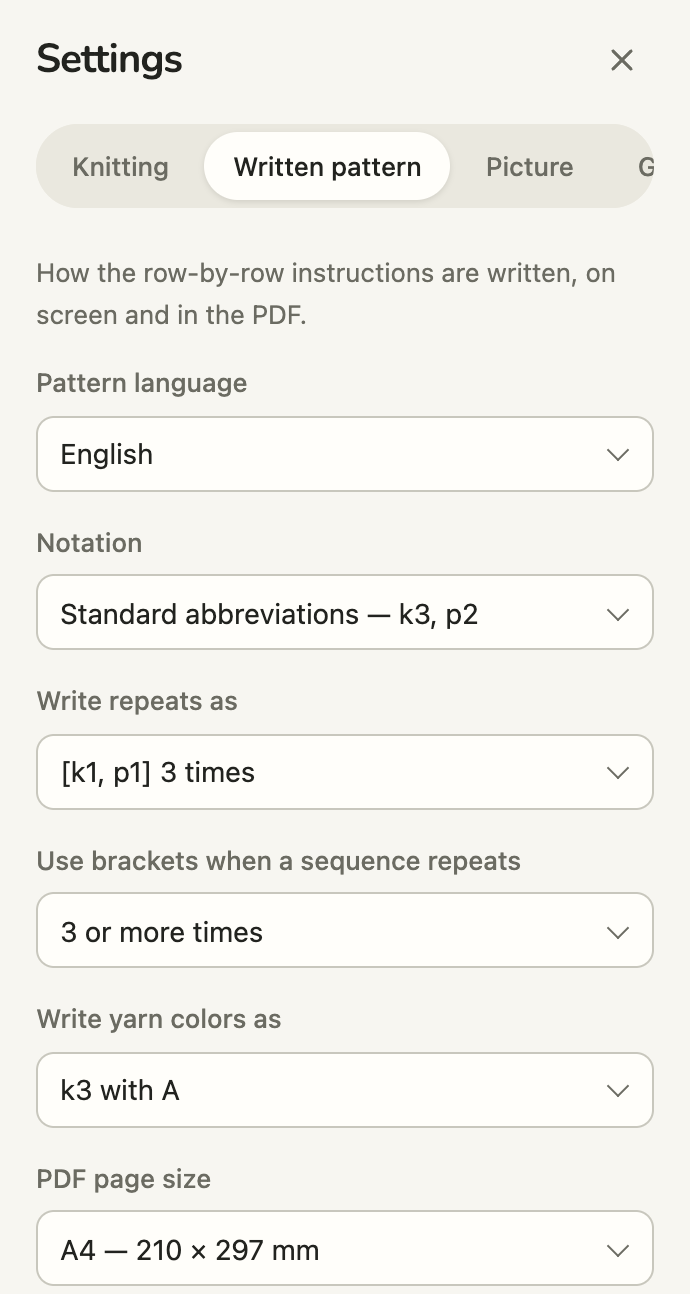
Pattern language
Pattern language is the language of the written pattern and of its PDF. It is English unless you choose another, whatever language Knitter Friend itself is shown in. The list has the same languages as the interface.
The key still explains each abbreviation in the interface language. See the pattern language.
Notation
Notation is Standard abbreviations, such as k3, p2, or Plain words, such as knit 3, purl 2. The key of the pattern lists the abbreviations the rows use. See notation and abbreviations and the key.
Repeats
When the same sequence of stitches repeats several times in a row, it can be written once, in brackets, with the number of times. Two settings control this:
- Write repeats as: how a bracketed repeat gives its count, with a word, as in [k1, p1] 3 times, or with a multiplication sign, as in [k1, p1] × 3.
- Use brackets when a sequence repeats: how often a sequence must repeat before it is bracketed: 2 or more times, 3 or more times, 4 or more times or 5 or more times. A new pattern uses 3. A higher number writes out short repeats that occur by chance, which is common in a chart made from a picture. Never — write every stitch group out writes out every stitch.
Yarn colors
Write yarn colors as sets how each group of stitches names its yarn: k3 with A, k3 in A, or k3 A. The letter is the yarn's code in the color key. It applies to color charts only; the stitches of a symbol chart have no yarn.
PDF page size
PDF page size is Letter — 8.5 × 11 in or A4 — 210 × 297 mm. It is the paper size of the file you get with Download PDF, and it does not change the written pattern on screen. It starts with the size usual in your region, as your browser reports it. See the PDF and the chart image.