Flat or in the round
A chart looks the same whether it is knitted flat or in the round, but the rows are worked differently. Tell Knitter Friend which one you knit, and the written rows follow it.
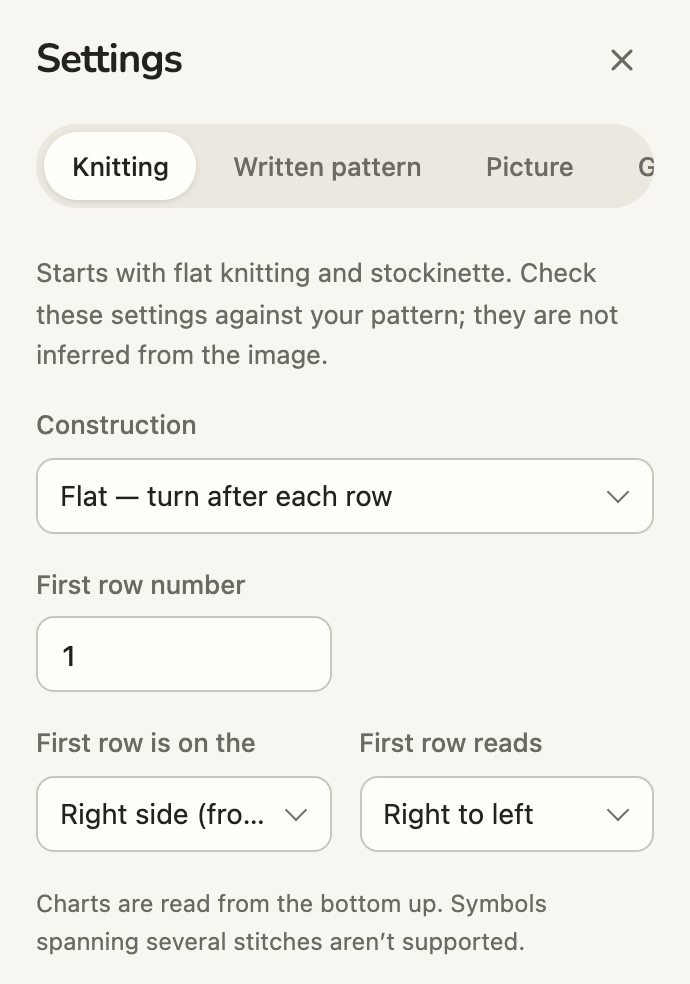
Choose the construction
Open Settings › Knitting and set Construction. Every new picture starts with Flat — turn after each row. The settings appear in this tab once a picture is open.
The written rows, the PDF and the copied text change as soon as you choose. The PDF and the copied text also say which construction the pattern uses.
Flat knitting
With Flat — turn after each row, you turn the work after each row. Row 1 is the bottom row of the chart and is read the way First row reads says. The next row is on the other side of the work and is read in the opposite direction, and so on up the chart.
Each row is labeled with its side, for example Row 1 (RS) and Row 2 (WS). With standard abbreviations, the key explains RS and WS.
Knitting in the round
With In the round — same side throughout, you never turn the work: every round is worked from the right side, and every round is read in the same direction as the first. The rows are labeled Round 1, Round 2 and so on, and the PDF counts the chart in rounds.
Rounds start on the right side
In the round, First row is on the must be Right side (front). If it is set to Wrong side (back), the pattern is not written and a message asks you to change it. See the first row.
What else follows the construction
- The stitch pattern of a color chart is written for each side of flat knitting, or for every round. See the stitch pattern.
- In a symbol chart knitted in the round, each symbol needs only its Front-side instruction: the field for the back is hidden.