Set the cell size
When Knitter Friend makes a chart from a picture, it divides the picture into small cells and gives each cell one yarn color; each cell becomes one stitch. Cell size sets how wide these cells are, and so how many stitches and rows the chart has. A new chart starts with cells that give about 120 stitches across.
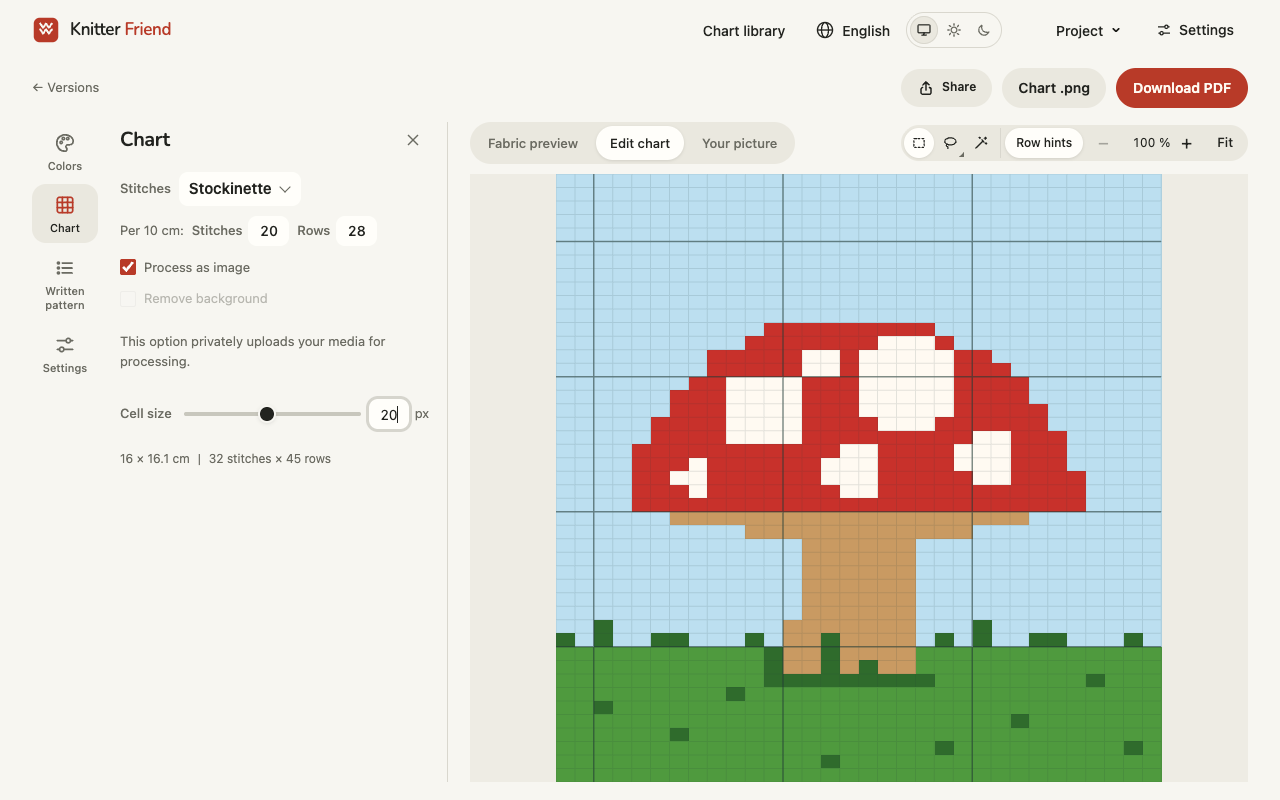
Change the cell size
- Open Chart in the sidebar.
- Move the Cell size slider, or enter a number of pixels in the field next to it.
- Watch the line below: it shows the number of stitches and rows the new size gives.
- When you stop, the chart is rebuilt with the new size.
Larger or smaller cells
A larger cell takes more pixels of the picture into one cell. The chart has fewer stitches and rows, small details merge, and the knitted piece is smaller.
A smaller cell keeps more detail, but the chart grows: more stitches to knit, more rows and often more yarn changes. If the chart would become too large, the line below the slider says so; see when a chart is too large.
Stitches, rows and the finished size
For a color chart, the line below Cell size also shows the finished size of the knitted piece in centimeters, worked out from your gauge.
Because a knitted stitch is wider than it is tall, so is a cell: the cell size is its width, and its height follows your gauge, so that the piece keeps the shape of the picture. For example, a picture area of 400 × 300 pixels with a cell size of 10 pixels gives 40 stitches. At a gauge of 20 stitches and 30 rows per 10 cm (4 in), the chart has 45 rows, and the piece is 20 × 15 cm (about 8 × 6 in). See stitch pattern and gauge. Process as image in Chart only decides whether a cell takes the average color of its pixels or the color at its center: see processing as an image.
Cell size and cropping
The cell size applies to the part of the picture you charted. When you crop, the cell size stays the same, so a smaller area gives a chart with fewer stitches. See cropping and zooming.
Changing the cell size rebuilds the chart, so stitch corrections and added colors are cleared. Choose the size first, then correct single stitches.
Charts read from a grid
For an existing color chart read square by square, or pixel art read block by block, Cell size starts at the size of one square or block. Changing it makes a new chart from the picture instead, like Process as image: see processing a chart as an image. To keep every stitch of the original chart, leave the cell size as it is. A symbol chart has no Cell size.